

GhostFrame and VMware ESXi — post-exploitation, GlobalProtect entry paths and ransomware risk
The complete TEKLab analysis of GhostFrame, existing ESXi root access, GlobalProtect CVE-2026-0257, credential theft, indicators, hunting and virtualization recovery.
Updated: · Vietnam time (UTC+7)
Public-source cross-check on 12 November 2026: Recorded Future, Unit 42, the Palo Alto Networks advisory, Broadcom documentation and an official CISA bulletin. No direct malware sample analysis, ESXi testing or customer-log review was performed; no specific Vietnamese incident is confirmed. Direct NVD access did not return article text during this review, so vendor guidance takes precedence for vulnerability identification. There is no evidence that every CVE-2026-0257 incident used GhostFrame.
Original TEKLab article TEKLink225 dated 12 November 2026, retaining all 21 sections. Editorial changes clarify evidence limits, replace an unverified Facebook reference with a neutral warning and identify the 0–72-hour schedule as TEKLab guidance. References [1]–[7] correspond to the source list below.
Overview and intelligence context — sections 1–2
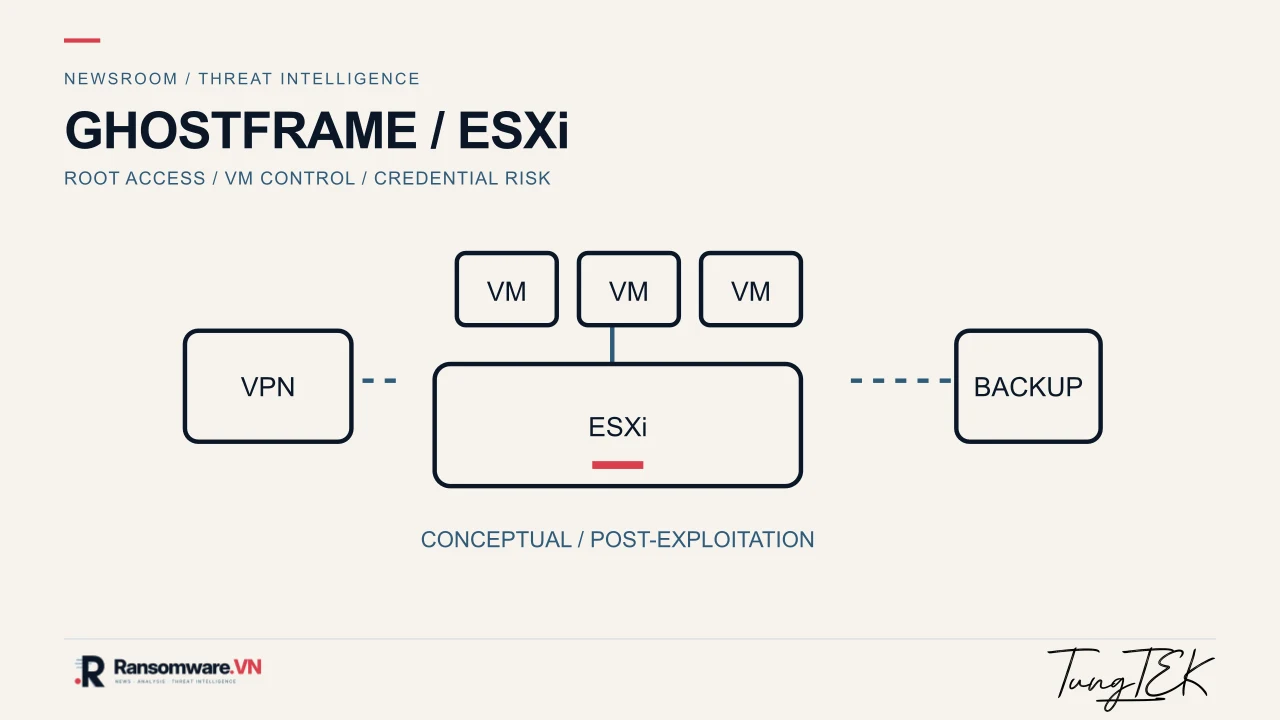
Original TEKLab article TEKLink225 TEKLab / Threat Intelligence. Original document dated 12 November 2026 — Article code TEKLink225 — https://link.tungtek.com/225. This Ransomware.VN publication retains all 21 sections, with AI-assisted editing and translation; it does not imply personal expert review. TUNGTEK · RANSOMWARE.VN WARNING: GhostFrame operates on ESXi hosts that have already been compromised. CVE-2026-0257 is not a VMware CVE; it is an authentication bypass vulnerability in Palo Alto Networks PAN-OS GlobalProtect. Distinguish the VPN entry path from the ESXi post-exploitation implant. [1][2][3] The illustration is conceptual, not a scene photograph or evidence of a proven chain in a particular incident.
Event profile — quick verification GhostFrame — A post-exploitation framework, not an ESXi CVE. [1] Deployment prerequisite — Existing root access on ESXi; the implant does not provide the initial exploit itself. [1] CVE-2026-0257 — A GlobalProtect/PAN-OS vulnerability requiring specific exposed configurations. [3] Associated activity — TAG-218, with overlap involving Settra ransomware. [1] Defense priorities — VPN / vCenter / ESXi / Active Directory credentials / backup systems.
1. Executive summary GhostFrame is a post-exploitation framework described by Recorded Future's Insikt Group. It is designed to operate on VMware ESXi hypervisors that have already been compromised, allowing threat actors to maintain access, manage virtual machines, establish pivot channels and extract credentials from Windows systems inside VMs without installing malware in each guest operating system. The most important distinction is that GhostFrame is not a new VMware ESXi CVE. According to the original report, GhostFrame is deployed only after an attacker has obtained root privileges on ESXi. CVE-2026-0257, by contrast, is an authentication bypass vulnerability in Palo Alto Networks PAN-OS GlobalProtect. Some campaigns may exploit CVE-2026-0257 to gain a VPN foothold, then pivot to vCenter/ESXi and continue post-exploitation using tools with capabilities similar to GhostFrame. This does not establish that GhostFrame was used in those incidents. For organizations, the central lesson extends beyond patching one CVE. The virtualization layer must be protected as a critical asset: once ESXi is controlled, every VM above it may be exposed to administrative manipulation, credential extraction or destructive activity from outside the guest OS.
2. Intelligence context: why GhostFrame matters It operates at the hypervisor layer, where one ESXi host may contain multiple important VMs supporting the same service environment. It enables activity outside the guest OS, limiting the visibility of EDR/antivirus products that observe only activity inside Windows VMs. It provides a single control point for VM power operations, snapshots, VNC access, SOCKS5 proxying and credential collection. It appears in the context of TAG-218 activity overlapping with Settra ransomware campaigns, illustrating the use of virtualization infrastructure by ransomware operators. GhostFrame is therefore more than an isolated implant. It illustrates an approach in which attackers target the virtualization layer to gain broader infrastructure coverage and administrative leverage with fewer individual points of contact, rather than compromising each server separately.
Framework and persistence — sections 3–4
3. What is GhostFrame? Recorded Future describes GhostFrame as a command-and-control (C2) and post-exploitation framework for VMware ESXi. Its operator interface includes at least two major components: Sessions, for managing compromised hosts/sessions, and Builder, for generating an ESXi implant. The builder-generated implant is called vmhostd-core. Maintain access and persistence on ESXi. Execute code received from C2 without necessarily writing a distinct payload to disk, using shellcode/in-memory loading. Manage VMs: enumerate them, display power status, perform power operations, and create or delete snapshots. Establish a VNC relay for graphical interaction with VMs through GhostFrame infrastructure. Tunnel access to the ESXi Host Client interface. Deploy the gfsox component as a SOCKS5 proxy for pivoting into the internal network. Integrate sdkmon to interfere with the ESXi authentication flow and collect usernames/passwords from subsequent logins. Integrate VMkatz to extract credentials from memory snapshots, VMDKs or multiple VMs in a datastore.
4. Deployment and persistence on ESXi GhostFrame does not exploit a vulnerability to enter ESXi by itself. The attacker must already have root privileges on the host before uploading and activating the implant. According to the original report, vmhostd-core copies itself to /opt/vmhostd-core and modifies /etc/rc.local.d/local.sh to start with the system. A notable technique is the implant's repeated disabling of the ESXi firewall and execInstalledOnly protection. execInstalledOnly helps restrict execution of binaries not installed through a VIB. Disabling it makes it easier to run unfamiliar binaries on ESXi, expanding the opportunity for the implant and auxiliary tools. Artifact of interest: /opt/vmhostd-core. Modified startup script: /etc/rc.local.d/local.sh. Process name resembling a legitimate service: vmhostd, which may be confused with vmware-hostd. Execution of /sbin/auto-backup.sh to preserve configuration changes across reboot. This describes reported attacker behavior, not a command to run in the read-only checklist.
Execution controls and CVE scope — sections 5–6
5. execInstalledOnly: defensive value and why it is targeted Broadcom/VMware documentation describes execInstalledOnly as a protection intended to permit execution of binaries installed through trusted VIB mechanisms. Broadcom warnings explain that disabling this setting allows files not installed through VIBs to execute, increasing malware and ransomware exposure on the ESXi host. A disabled setting alone does not establish compromise; legitimate administration or firmware workflows may also explain it. GhostFrame targets this control because the implant requires flexibility to execute unauthorized binaries. Its repetition of the disabling operation every few seconds suggests that the tool anticipates administrators attempting to re-enable protection. This anti-remediation behavior is an important hunting lead. Check the kernel option: esxcli system settings kernel list -o execInstalledOnly. Check the runtime option: localcli system settings advanced list -o /User/ExecInstalledOnly. Check enforcement: esxcli system settings encryption get.
6. GhostFrame and CVE-2026-0257: what is the actual relationship? This distinction is important when interpreting security warnings. CVE-2026-0257 is an authentication bypass vulnerability in Palo Alto Networks GlobalProtect/PAN-OS, not VMware ESXi. Unit 42 reports that some threat actors exploiting CVE-2026-0257 for VPN access subsequently pivoted to the virtualization layer through vCenter and ESXi. In at least one case, an actor disabled execInstalledOnly and used a separate tool for offline credential dumping directly from a domain controller VMDK. Unit 42 does not identify that tool as GhostFrame. CVE-2026-0257 may therefore be an initial entry point in an intrusion chain, while GhostFrame is a post-exploitation tool that could be used after the attacker has reached ESXi. This is a possible tactical linkage in an attack chain, not an equivalence between GhostFrame and CVE-2026-0257.
Illustrative chain and impact — sections 7–8
7. Illustrative attack chain The following is a conceptual scenario, not a chain proven to have occurred in every GhostFrame incident. Exploit an edge device, such as a VPN appliance lacking patches or relevant mitigations. Establish unauthorized access, perform reconnaissance and expand privileges in the internal network. Reach vCenter or an ESXi host directly using exposed/reused credentials or lateral movement. Obtain root privileges on ESXi and upload GhostFrame or a comparable implant. Disable the firewall, disable or weaken execInstalledOnly and establish persistence. Enumerate VMs, access snapshots and management interfaces, and establish proxy/pivot paths to other systems. Collect Windows VM credentials through VM memory, VMDKs, NTDS.dit, SAM/LSA secrets or Kerberos tickets. Expand Active Directory privileges, disable backup/disaster recovery where possible, and proceed to encryption malware deployment or data theft.
8. Why this technique deserves greater attention Reduced guest OS visibility: actors operate at the hypervisor layer, so many EDR products cannot see the complete chain of behavior. Multiple VMs exposed from one control point: control of a single ESXi host can put several services at risk simultaneously. Infrastructure-level credential access: obtaining NTDS.dit, tickets or hashes from important VMs can accelerate domain compromise. Availability impact: from the hypervisor, an attacker can affect a wider set of services than from one compromised Windows server. For virtualization-dependent organizations, particularly smaller businesses using one to three ESXi hosts for most workloads, such an intrusion can create a single point of failure: losing control of one host may compromise the safety of applications, file servers, domain controllers, ERP systems, backup proxies and even jump servers.
Technical checks and indicators — sections 9–10
9. Hunting and technical checks on ESXi The following commands query state for inspection/investigation: vmware -vl esxcli network firewall get esxcli system settings kernel list -o execInstalledOnly localcli system settings advanced list -o /User/ExecInstalledOnly esxcli system settings encryption get ls -l /opt/vmhostd-core grep -nE 'vmhostd-core|execInstalledOnly|firewall' /etc/rc.local.d/local.sh ps | grep '[v]mhostd' find / -maxdepth 3 -type f -name "*hostd*" 2]/dev/null cat /var/log/vobd.log | grep -i execInstalledOnly Look for the presence of /opt/vmhostd-core. Check whether local.sh contains added calls to vmhostd-core, firewall-disabling commands or settings forcing execInstalledOnly to false/0. Compare firewall and execInstalledOnly state against the environment's baseline. Investigate unusual outbound connections from ESXi to one IP across multiple ports (53, 2222, 3389, 4444, 8443, 9443), as described in the original report. Correlate vobd.log, shell/authentication logs and configuration changes around the suspected intrusion time.
10. Indicators and behaviors of interest GhostFrame C2: 45.158.196[.]81. GhostFrame C2: 45.158.196[.]141. TAG-218 MeshCentral C2: 193.5.65[.]114. GhostFrame sample SHA-256: a05eae6d07b82e2e5451a72266f21fbaf76486ef4920a820988de93e15353a10. Traffic pattern: one ESXi host generating nearly simultaneous TCP SYNs to the same IP over ports 53/2222/3389/4444/8443/9443.
Defense and incident handling — sections 11–12
11. Practical defensive recommendations for organizations Patch PAN-OS/GlobalProtect and apply all relevant CVE-2026-0257 mitigations if Palo Alto Networks products are used; follow the vendor's affected-configuration and fixed-version guidance. Restrict vCenter/ESXi administration to trusted jump hosts and avoid exposing management interfaces directly to the internet. Enable MFA and closely monitor privileged accounts associated with vCenter, ESXi, VPNs, backup and Active Directory. MFA alone is not a substitute for the vendor's CVE-specific fixes and mitigations. Review the ESXi security baseline: Secure Boot, TPM/attestation where supported, execInstalledOnly, firewall configuration and appropriate lockdown mode. Monitor changes to /etc/rc.local.d/local.sh and the state of /opt on ESXi hosts. Monitor outbound traffic from ESXi, a commonly overlooked area when visibility focuses on guest VMs. Protect backup systems, Veeam/backup repositories and snapshot policies separately, and regularly verify recoverability. Create an investigation playbook specifically for hypervisor compromise rather than relying only on a general Windows/Linux server playbook.
12. Incident handling when an ESXi implant is suspected Avoid rushing to reboot or delete files before collecting evidence; preserve logs and system state as far as practicable. Perform controlled isolation of the suspected host's management or outbound paths to limit further spread while preserving evidence and coordinating operational impact. Collect suspicious files, local.sh configuration, process lists, network connection information and relevant logs. Review important VMs on the host, especially domain controllers, file servers, backup servers, jump servers and systems holding sensitive data. Reset or rotate credentials at risk, prioritizing domain administrators, vCenter/ESXi accounts and critical service accounts. Assess data theft and lateral movement risk rather than focusing only on encryption. Recover from clean backups after understanding the cause and closing the entry point; avoid restoring while backdoors remain.
TEKLab perspective and C2 investigation — sections 13–14
13. TEKLab perspective GhostFrame illustrates that ransomware-related activity extends beyond encrypting files on Windows. The virtualization layer offers a foothold whose impact can increase substantially with the number of VMs and associated administrative privileges. The concern extends beyond VM control to credential collection and persistent access in a less closely monitored layer. In environments where ESXi/vCenter, NAS backups, VPN appliances and Active Directory share an insufficiently separated administrative chain, these connections create a valuable and interconnected attack surface. When reading security warnings, administrators should ask more than whether a CVE has been patched: if entry occurs at the network edge, can an attacker reach our virtualization layer? Can we detect changes on ESXi? If vCenter/ESXi is compromised, what recovery capabilities remain? TEKLab recommends reviewing these questions promptly.
14. Investigating C2, staging and in-memory payload execution The implant sample analyzed by Recorded Future uses a multi-port C2 connection strategy: it attempts TCP/53, 2222, 3389, 4444, 8443 and 9443 to one server nearly simultaneously, retaining the first successful connection and closing the others. If unsuccessful after approximately 30 seconds, it retries after a random delay of 5–12 seconds. This is a useful network-hunting signal on ESXi management paths, where outbound traffic often has a relatively stable baseline. [1] After establishing C2 communication, the implant primarily acts as a loader: receiving machine code, allocating executable memory and invoking the payload in memory. If executable memory cannot be allocated, it can fall back to a /bin/sh reverse shell. Risk should therefore not be judged solely by whether a payload file is found on a datastore. [1] Prioritize visibility from firewall/NetFlow at ESXi management uplinks, east-west segmentation gateways, DNS logs, vCenter tasks/events and ESXi logs centralized through syslog. Context matters: one TCP/53 connection is not a sufficiently strong indicator. Examine the multi-port sequence, common destination, timing, originating host and nearby changes to security controls. Limitation: port-based detection may miss customized versions or changed C2 infrastructure. A single network indicator is not a forensic conclusion.
Behaviors and evidence matrix — sections 15–16
15. Post-exploitation behaviors by system layer ESXi host — Reported capabilities: persistence, shell commands, impairment of firewall/execInstalledOnly and C2. Investigation: collect hostd/vobd/syslog data, startup scripts, processes, binaries and network sessions. vCenter / VM management — Reported capabilities: status queries, VM power operations, snapshots and Host Client tunneling. Investigation: review unusual tasks/events and VM configuration or power changes. Windows guests — Reported capabilities: VMkatz access to memory/VMDK, NTLM, Kerberos, SAM, LSA and NTDS.dit. Investigation: assess domain credential exposure even without a guest EDR alert. Internal network — Reported capabilities: gfsox SOCKS5 proxy and pivot traffic. Investigation: examine connections from ESXi to AD/domain controllers, backup systems and file servers. Entry path — VPN appliances, identities and privileged management access. Investigation: establish the root cause independently; do not infer a CVE without evidence. Not all capabilities above were observed together in one incident. Some are inferred from the frontend, implant analysis or framework components. TEKLab distinguishes between a capability supported by a tool and behavior confirmed in a particular intrusion. [1]
16. Evidence matrix: what is known and what remains unproven? Claim: GhostFrame is an ESXi post-exploitation tool. Status: confirmed through reported sample analysis. Basis: Recorded Future publishes the architecture, implant analysis and indicators. [1] Claim: installation requires existing ESXi root privileges. Status: confirmed in the sample report. Basis: the implant is not shown providing initial exploitation. [1] Claim: TAG-218 has links to Settra. Status: association based on infrastructure observations. Limit: this does not make GhostFrame exclusive to Settra. [1] Claim: CVE-2026-0257 belongs to VMware. Status: incorrect. Basis: the official advisory identifies PAN-OS GlobalProtect. [3][5] Claim: GlobalProtect exploitation can be followed by pivoting to ESXi. Status: reported in some incidents. Basis: Unit 42 describes movement from VPN to vCenter/ESXi. [2] Claim: GhostFrame is used in every CVE-2026-0257 incident. Status: unsupported. Similar TTP chains must not be treated as evidence of the same implant.
Threat hunting and response framework — sections 17–18
17. Threat hunting: a read-only ESXi playbook This checklist is for administrators/DFIR personnel with legitimate host authorization. Record UTC time, hostname and ESXi version before use, and prioritize forwarding logs to storage outside the host. The selected commands query state without deliberately changing configuration. Log paths and options may differ by ESXi version. # Baseline OS / firewall / execution policy vmware -vl esxcli network firewall get esxcli system settings kernel list -o execInstalledOnly esxcli system settings advanced list -o /User/ExecInstalledOnly esxcli system settings encryption get # GhostFrame persistence candidates ls -l /opt/vmhostd-core cat /etc/rc.local.d/local.sh ps | grep -E 'vmhostd|hostd' # Local log triage: read-only ls -lh /var/log/hostd.log /var/log/vobd.log /var/log/shell.log grep -Ei 'execinstalledonly|firewall|vmhostd-core' /var/log/vobd.log /var/log/shell.log If vmhostd-core appears or local.sh is unusual, do not delete it immediately. Preserve artifacts as found and calculate SHA-256 on a copy. Establish the access chain, modification times, legitimate administration and consistency with the published sample. The process name vmhostd is a search lead, not independent proof; legitimate VMware processes may have similar names. SIEM / NDR hunting suggestion Combined detection logic can group records by ESXi management source IP, common destination IP and multiple destination ports within a one-to-two-minute window. The example below is illustrative pseudocode and must be mapped to the specific firewall schema before use. SELECT src_ip, dst_ip, COUNT(DISTINCT dst_port) AS port_count, MIN(event_time) AS first_seen, MAX(event_time) AS last_seen FROM network_flows WHERE src_ip IN ([ESXI_MGMT_IP_SET]) AND dst_port IN (53,2222,3389,4444,8443,9443) AND event_time BETWEEN [START] AND [END] GROUP BY src_ip, dst_ip, [TIME_BUCKET_2_MIN] HAVING COUNT(DISTINCT dst_port) ≥ 4; Treat this only as a hunting signal requiring prioritized validation. Tune sensitivity to the environment and do not automatically isolate a production host based on one hit. Where ESXi internet access is restricted, a rule flagging any unapproved outbound TCP from the management network may be simpler and more effective.
18. Response priorities over the first 0–72 hours The following is a suggested TEKLab planning framework, not a recovery commitment or a fixed schedule applicable to every incident. 0–2 hours — Validate indicators, identify affected hosts/VMs and record times/evidence. Avoid reflexive rebooting and destruction of traces. 2–8 hours — Perform controlled isolation of management/outbound paths, collect logs/configuration records and coordinate with backup/AD teams. Preserve evidence and minimum operational capability. 8–24 hours — Analyze credential exposure and examine vCenter, domain controllers, backup systems and the VPN gateway. Treat domain secrets as potentially exposed if a domain controller VM was accessed. 24–72 hours — Address the root cause, rotate secrets, rebuild clean hosts and validate restoration. Do not restore onto infrastructure where an attacker foothold remains. For infrastructure already encrypted by ransomware, separate investigation of the intrusion source from data recovery. VM snapshots do not replace immutable/offline backups. Backup repositories, NAS/iSCSI/NFS datastores, backup service accounts and Veeam require privileged access controls separated from vCenter/ESXi.
Display note: the pseudocode above uses square-bracket placeholders and ≥ to fit the newsroom plain-text format. Map the schema and restore appropriate syntax before use; it is not a query to execute verbatim.
Architecture, indicators, conclusion and sources — sections 19–21
19. Zero Trust architecture recommendations for virtualization Separate ESXi/vCenter management networks, backup appliance management LANs and VM business traffic; use jump hosts with MFA and logging. Restrict host root access, delegate privileges through vCenter, document break-glass accounts and inventory credentials in a password vault. Enable Secure Boot/TPM attestation and version-appropriate execInstalledOnly after validating compatibility with VIBs and backup/disaster recovery agents. Limit ESXi management interface outbound traffic to necessary destinations and detect unusual bursts across the six ports described above. Forward host logs, vCenter tasks, authentication events and firewall logs to a SIEM outside the virtualization cluster, and synchronize time with NTP. Design immutable/offline backups with repositories using separate identities, and rehearse recovery of domain controllers, vCenter and datastores. Broadcom notes that execInstalledOnly primarily controls execution of binaries outside trusted VIBs; it does not block every script executed through an interpreter such as Python. It must not be presented as absolute ransomware protection. [4][7]
20. Indicators verified against Recorded Future GhostFrame C2 — 45.158.196[.]81 — Destination observed in TAG-218 infrastructure. [1] GhostFrame C2 — 45.158.196[.]141 — Destination observed in TAG-218 infrastructure. [1] MeshCentral C2 — 193.5.65[.]114 — Associated with TAG-218 activity. [1] SHA-256 — a05eae6d07b82e2e5451a72266f21fbaf76486ef4920a820988de93e15353a10 — Hash of the analyzed implant sample. [1] Persistence — /opt/vmhostd-core — Implant file path. [1] Boot script — /etc/rc.local.d/local.sh — Modification point for persistence. [1] Indicators can change quickly and IP addresses may change ownership over time. Use indicators to flag investigation, not as the sole criterion for concluding compromise or imposing unconditional blocking in every environment.
21. Conclusion: a TUNGTEK Ransomware.VN warning GhostFrame illustrates activity extending from file encryption inside Windows VMs to control and exploitation of the hypervisor layer. Confusing CVE-2026-0257 with an ESXi vulnerability obscures the distinction: the CVE concerns PAN-OS GlobalProtect, while GhostFrame is an ESXi post-exploitation framework. The two may occupy different stages of a possible intrusion chain; they are not the same entity. [1][2][3] TEKLab's view is that organizations should look beyond whether a patch has been applied. Examine reachability from VPN to vCenter, from vCenter to ESXi root, from the hypervisor to domain controllers, and from there to backup repositories. Resilience depends on separated administrative privileges, visibility across layers, independent backups and recovery exercises, alongside patching and endpoint protection.
References and verification method [1] Recorded Future / Insikt Group — GhostFrame: A New ESXi Implant Linked to Settra Ransomware: https://www.recordedfuture.com/blog/ghostframe-esxi-implant-settra-ransomware [2] Palo Alto Networks Unit 42 — Active Exploitation of PAN-OS CVE-2026-0257 (updated 19–20 October 2026): https://unit42.paloaltonetworks.com/active-exploitation-of-pan-os-cve-2026-0257/ [3] Palo Alto Networks Security Advisory — CVE-2026-0257: https://security.paloaltonetworks.com/CVE-2026-0257 [4] Broadcom KB 401376 — ExecInstalledOnly on ESXi 8.x: https://knowledge.broadcom.com/external/article/401376/hosts-upgraded-to-80x-shows-informationa.html [5] NIST NVD — CVE-2026-0257: https://nvd.nist.gov/vuln/detail/cve-2026-0257 [6] CISA official bulletin — CVE-2026-0257 added to KEV, 29 May 2026: https://content.govdelivery.com/accounts/USDHSCISA/bulletins/4198f58 [7] Broadcom KB 373898 — execInstalledOnly and interpreter scripts: https://knowledge.broadcom.com/external/article/373898 Method: cross-check the sample research report for framework/indicators, the vendor advisory for CVE scope, Unit 42 incident research for the attack chain, NVD/CISA for vulnerability identification and exploitation, and Broadcom technical guidance for ESXi settings. Similar TTPs do not prove the same malware implant. Public-source cross-check on 12 November 2026: Recorded Future, Unit 42, the Palo Alto Networks advisory, Broadcom documentation and an official CISA bulletin. No direct malware sample analysis, ESXi testing or customer-log review was performed; no specific Vietnamese incident is confirmed. Direct NVD access did not return article text during this review, so vendor guidance takes precedence for vulnerability identification. There is no evidence that every CVE-2026-0257 incident used GhostFrame. TEKLink225 | https://link.tungtek.com/225 | TUNGTEK · Ransomware.VN
Sources
Each source's scope and date are recorded separately when available. A citation does not independently verify every assessment.
Update history
· Published the full 21-section TEKLab original, English translation and conceptual artwork. Primary sources cross-checked; no Vietnamese incident confirmed.
Corrections policy